
 English
 русский
 Español
 عربى
عربى

Refrigerated Produce Display Cases: How to Select the Right Type for Your Store
Content
- 1 The Three Main Types of Refrigerated Produce Display Cases
- 2 Selection Decision Matrix: 5 Key Parameters That Determine Your Choice
- 3 Typical Store Configuration Plans
- 4 Self-Contained vs Remote Systems: Full CapEx and OpEx Comparison
- 5 Energy Efficiency Optimization: Getting Value from Every Kilowatt
- 6 Pre-Installation Checklist: 7 Must-Check Items
- 7 Common Faults and Troubleshooting Guide
- 8 Summary and Next Steps
The Three Main Types of Refrigerated Produce Display Cases
Produce display cases fall into three broad categories, and each one solves a different retail problem. The right choice depends on how your customers shop, the floor space you have, and what you sell.
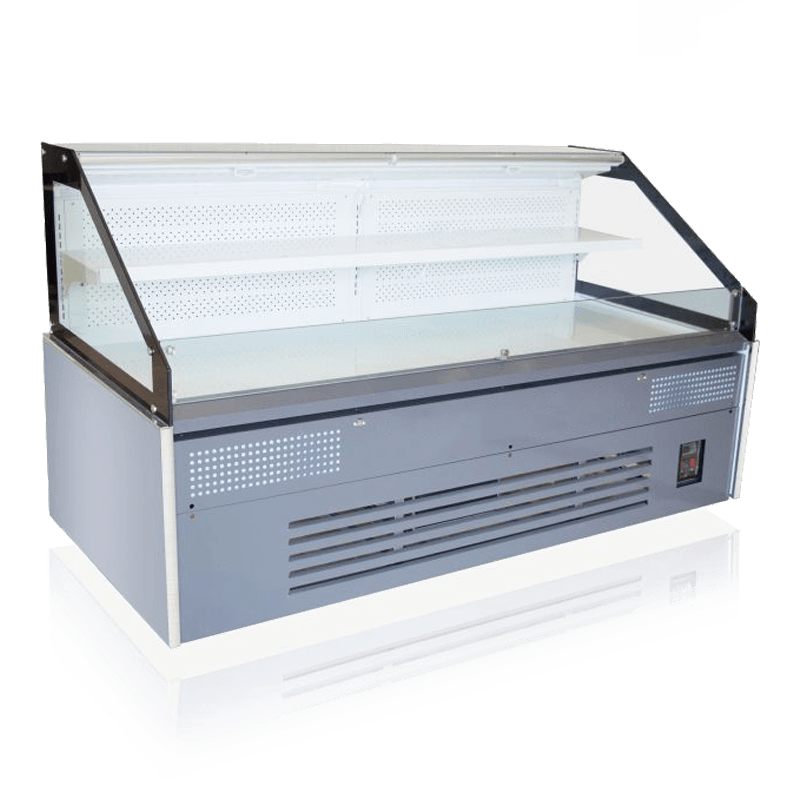
Open-front air curtain cases deliver the easiest grab-and-go access. Cold air flows downward across the front opening, creating an invisible barrier that keeps produce chilled without doors. They excel in high-traffic produce sections where fast turnover is essential. The trade-off is higher energy consumption because the curtain constantly loses air to the ambient environment.
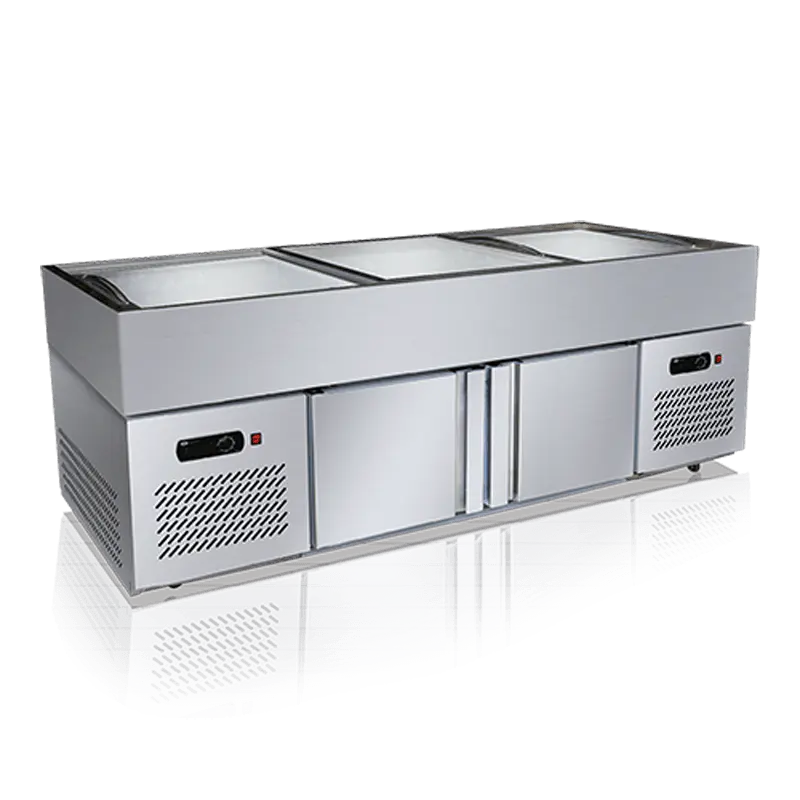
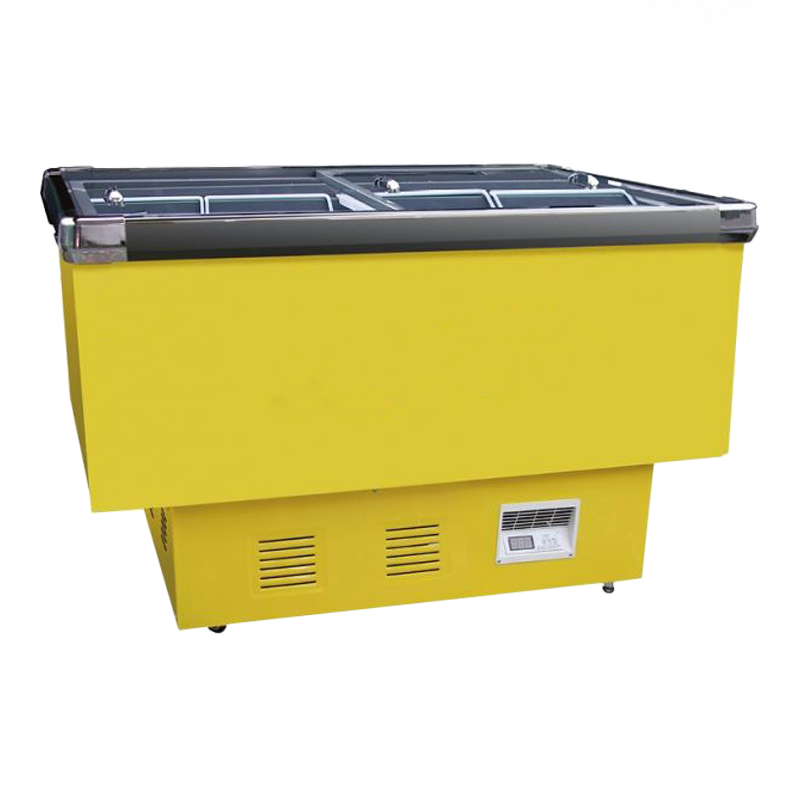
Open-top island cases, traditionally used for bulk produce, allow customers to browse from both sides. They maximize display area with minimal floor footprint, making them ideal for center-aisle arrangements. Temperature distribution can be less uniform near the top, so you need to manage restocking height carefully. See examples of deep-bottom and flat-bottom models in our island refrigerated display cases.
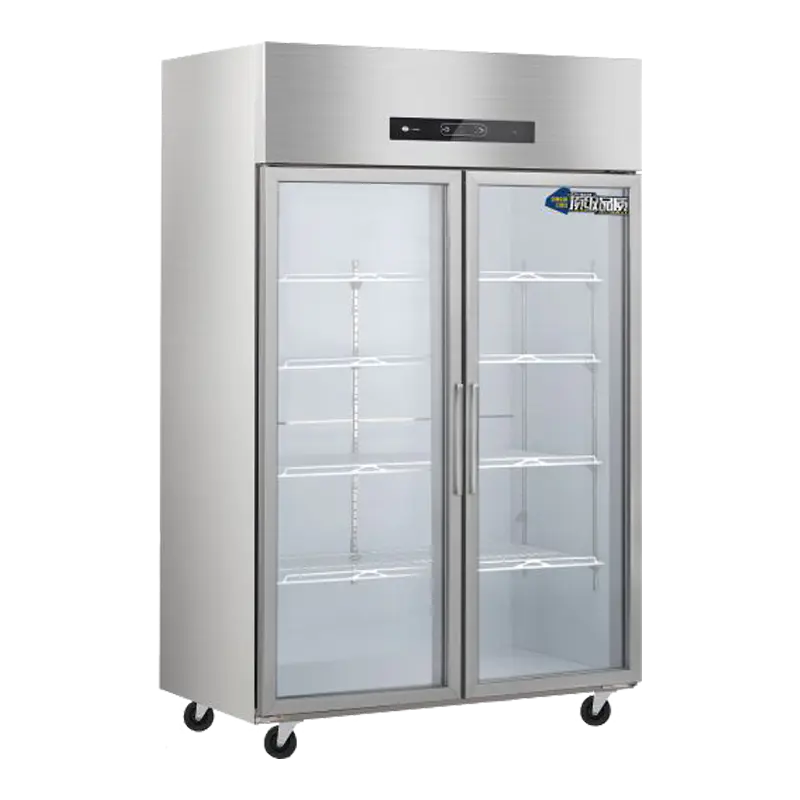
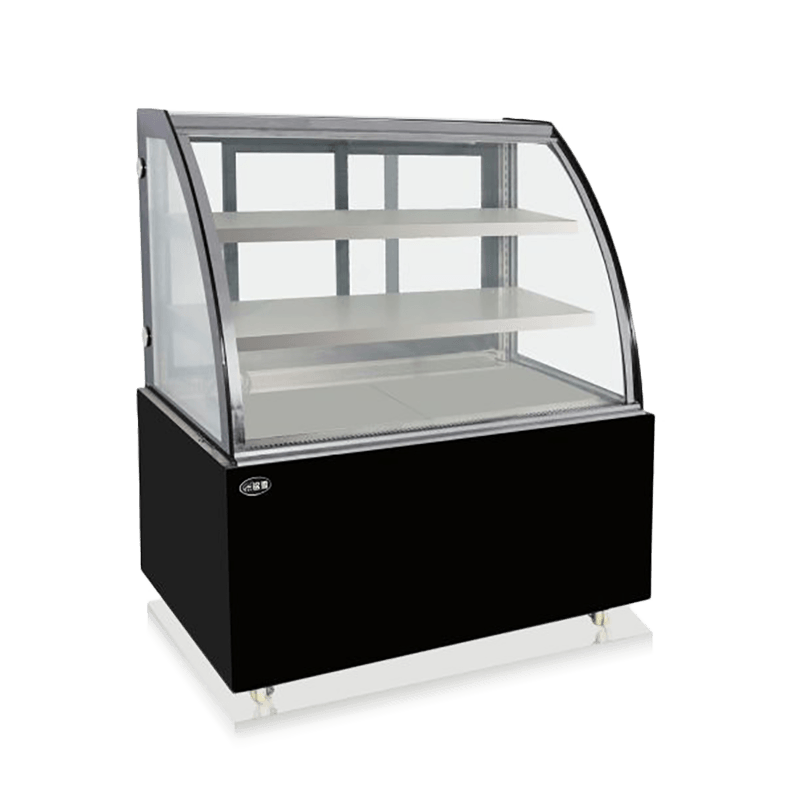
Multi-door glass-door cabinets create a sealed environment that preserves freshness longer. They maintain stable temperatures and significantly reduce energy use because the doors prevent cold air loss. However, the doors add a physical barrier that can slow impulse purchases. They work best for premium or packaged produce, overnight refrigeration, or stores where humidity control matters. Options like multi-deck refrigerated display cabinets can be adapted for produce with adjustable shelving.
| Feature | Air Curtain (Open-Front) | Island (Open-Top) | Multi-Door Glass Cabinet |
|---|---|---|---|
| Typical temperature range | 2–5°C | 0–4°C | 2–6°C |
| Product accessibility | Excellent – no barrier | Excellent – two-sided access | Moderate – doors need opening |
| Energy efficiency | Lowest (constant air loss) | Moderate (open top) | Highest (sealed) |
| Sales impact | High impulse purchase rate | High impulse for bulk items | Slower, but better product protection |
| Best for | Fast-turnover produce in busy supermarkets | High-volume seasonal produce, center aisle | Pre-packaged salads, delicate items, overnight display |
The decision rarely boils down to just picking one type. Many stores combine island cases with a few multi-door units for backup stock, while air curtain cases anchor the front-of-store produce section. Understanding each type's limitations prevents expensive mismatch later.
Selection Decision Matrix: 5 Key Parameters That Determine Your Choice
No specification sheet can replace a clear understanding of what your store actually needs. These five factors cut through the noise and directly shape which refrigerated produce display case works best.
- Total display area required. Measure the linear meters or square footage you need. Air curtain cases pack more facings per linear foot because there’s no front structure, but they demand 30–40% more energy than door-equipped units. Island cases excel in floor area efficiency: a 2.5-meter island can present as much produce as a 4-meter wall case while occupying only 1.2 m² of floor space.
- Daily customer traffic. In a store with over 2,000 daily transactions, the accessibility advantage of open-front cases pays off in sales velocity. Below that threshold, the energy penalty may not justify the increased impulse. Door cases work better for moderate traffic and longer holding times.
- Ambient store temperature. If your store's climate control fluctuates—like in open markets or unconditioned spaces—insist on cases designed for wide ambient ranges. Air curtain models typically perform best when ambient temperature stays below 24°C and relative humidity under 60%. Exceed those limits and you’ll see condensation and temperature drift.
- Budget range. Total cost of ownership matters more than the sticker price. Self-contained cases have lower upfront costs but higher monthly energy bills. Remote systems distribute the expense differently. Budget for the first five years, not just the purchase invoice.
- Refrigerant type. The shift toward natural refrigerants like R-290 (propane) is accelerating. R-290 offers lower global warming potential and often better thermodynamic efficiency, but requires careful handling due to flammability. Verify that the case meets current EPA A2L regulations—non-compliance can create liability and retrofit headaches later. Our air-cooled open display cases exemplify designs tuned for natural refrigerants.
Typical Store Configuration Plans
Small shops and large supermarkets need fundamentally different produce refrigeration strategies. What works for a 100-square-meter convenience store will undercool a 2,000-square-meter hypermarket. The table below summarizes realistic setups based on industry benchmarks.
| Store Type | Selling Floor (m²) | Recommended Equipment | Approx. Budget (USD) |
|---|---|---|---|
| Small convenience store | 50–80 | 1 multi-door cabinet + 1 small open-front air curtain case | $6,000–$12,000 |
| Mid-size supermarket | 200–500 | 3–4 island cases + 2 multi-door cabinets | $25,000–$45,000 |
| Large grocery | 1,000+ | 6+ island cases, 4 multi-door cabinets, and dedicated air curtain produce wall | $70,000–$120,000+ |
| Specialty organic market | 100–150 | 2 open-front air curtain units + 1 combination island case with dual temperature zones | $18,000–$28,000 |
These are starting points, not rigid templates. Excess heat from bakery ovens, high ceilings, or irregular store shapes can shift cooling loads significantly. Always have a HVAC technician verify the heat load before finalizing the order.
Self-Contained vs Remote Systems: Full CapEx and OpEx Comparison
The compressor location defines your long-term costs more than any other single component. Self-contained units integrate the compressor inside the case. Remote systems place the compressor in a machine room or on the rooftop, connected by refrigerant lines. The numbers below reflect typical U.S. market averages for a 3-meter produce case operated 24/7.
| Cost Factor | Self-Contained | Remote System |
|---|---|---|
| Purchase price (unit) | $4,000–$8,000 | $3,000–$6,000 (case only, plus remote compressor $5,000–$7,000) |
| Installation complexity | Low – plug and play, no piping | High – requires certified refrigerant line installation |
| Annual electricity cost | $1,800–$2,500 | $1,200–$1,800 |
| Maintenance per year | $300–$500 (onboard compressor) | $400–$700 (remote rack, multiple units) |
| Typical lifespan | 8–12 years | 15–20 years |
| Space requirement | Case footprint only | Case + remote machine room/roof space |
Self-contained cases make sense for stores with fewer than five display fixtures—the simplicity and lower upfront cost outweigh the energy penalty. Once you operate six or more cases, remote systems deliver sharply better total cost of ownership, particularly when waste heat can be recovered or when noise must stay off the sales floor.
Energy Efficiency Optimization: Getting Value from Every Kilowatt
Refrigeration accounts for up to 40% of a grocery store's electricity bill. Small operational changes compound into significant savings without sacrificing product quality.
- Switch to LED lighting. Replacing fluorescent tubes with LED strips inside the canopy reduces direct lighting energy by 30–50% and lowers the heat load the refrigeration system must remove. Many modern cases, such as the air-cooled open displays we supply, come with integrated LED lighting as standard.
- Add night covers. Simple retractable covers or insulated blinds over open-front and island cases can cut overnight energy use by 15–25%. For door cases, ensure automatic door closers function smoothly to prevent gaps.
- Clean condenser coils monthly. A dirty condenser raises head pressure and forces the compressor to work harder. A 0.5-millimeter layer of dust can reduce heat exchange efficiency by 10–15%. A 10-minute brush or vacuum session pays back quickly.
These measures don't require capital investment; they're operational discipline. If you're upgrading equipment, prioritize cases with electronically commutated (EC) fans and adaptive defrost controls—technologies found in quality aircooled units like our stainless steel open display case that intelligently adjust fan speed based on load.
Pre-Installation Checklist: 7 Must-Check Items
Skipping the installation checks invites compressor failures and expensive retrofits. Walk through these seven steps before the delivery truck arrives.
- Floor load capacity. A fully loaded 3-meter island case can weigh over 600 kg. Verify that the floor slab can support the point load, especially on mezzanines or older buildings. Reinforce if needed.
- Electrical supply. Confirm voltage, phase, and amperage availability at the planned location. Most produce cases require 208–230V single-phase, but larger remote systems may need three-phase power. Dedicated circuits prevent tripping when multiple cases start simultaneously.
- Ventilation clearance. Self-contained units need minimum clearances—typically 15 cm on each side and 30 cm at the rear—for adequate airflow. Blocked ventilation can overheat the compressor and void warranties.
- Drainage connection. Condensate evaporator pans work in low-humidity environments, but high volumes require a gravity drain or condensate pump. Plan the drain route before positioning the case.
- Doorway and aisle widths. Measure the narrowest opening between the loading dock and the installation point. Cases are often delivered in one piece; a 2.5-meter case must clear a 2.6-meter wide corridor.
- Ambient heat sources. Keep cases at least 2 meters from direct sunlight, ovens, or heating vents. External heat degrades temperature stability and inflates energy use.
- Service access. Leave at least 80 cm of clear space around removable panels for compressor service. Technicians should not have to move neighboring fixtures to reach a filter dryer.
Common Faults and Troubleshooting Guide
Even well-maintained cases encounter occasional issues. Recognizing the symptoms early prevents product loss and emergency repair calls.
| Symptom | Possible Cause | First Checks | Recommended Action |
|---|---|---|---|
| Temperature too high or fluctuating | Dirty condenser, door seal leak, refrigerant undercharge | Check condenser for dust; inspect gaskets for gaps; observe if compressor cycles frequently | Clean condenser; replace door gasket; call technician for leak test |
| Excessive frost or ice buildup | Defrost heater failure, frequent door opening, high ambient humidity | Verify defrost timer setting; check door switch operation; measure store humidity | Adjust defrost intervals; reduce door open time; add night covers |
| Compressor overheating or tripping breaker | Insufficient ventilation, overcharged refrigerant, failing start capacitor | Confirm clearance around unit; note if unit runs hot to touch; test capacitor with multimeter | Clear obstructions; call technician to check refrigerant charge and electrical components |
| Water pooling on floor | Blocked drain line, failed condensate pump, cracked drip pan | Inspect drain tube for kinks; listen for pump operation; look for water stains beneath case | Clean drain line; replace pump if silent; repair or replace drip pan |
| Lights flickering or out | Loose connection, driver failure, moisture ingress | Check wiring harness; verify LED driver output; look for condensation near electronics | Tighten connectors; replace driver; seal any moisture entry points |
Log the ambient temperature and the case’s display temperature daily. Trends reveal problems before alarms trigger. For cases still under warranty, always consult the manufacturer before opening sealed refrigeration components.
Summary and Next Steps
Refrigerated produce display cases are a long-term capital decision that shapes your store's customer experience, energy profile, and bottom line. The most common mistake is buying based on footprint alone without weighing traffic patterns, ambient conditions, and total cost of ownership.
Start by mapping your expected product range and daily sales velocity. Then match that map to the display type—open-front for speed, island for bulk volume, and multi-door for preservation. Verify your store infrastructure with the installation checklist, and plan your refrigeration system (self-contained or remote) based on your growth trajectory.
Explore our full range of island refrigerated display cases and specialty refrigerated display solutions to find configurations that fit your floor plan. When you’re ready, reach out for a customized quote that includes installation planning and after-sales support.